Ticket
Main Ticket Parameters
Every ticket has its unique ID and a title as well as other parameters (both required and optional):
- Type:
alert/incident - Severity
- Status: stage of the workflow the ticket is at (
open/triaged/closed/deleted) - Risk score
- Responder: person responsible for the ongoing investigation
- Description
Ticket ID
Default Settings
Ticket ID consists of two parts:
- a 4-letter prefix
- a 6-integer number, i.e.
000001
If no letter prefix configured, the first four letters of a tenant are used as prefix, i.e. SYST for tenant system.
For example, the very first ticket in system tenant will have the ID of SYST-000001.
Note
Each ticket ID is supposed to be unique.
- the first sequence of numbers goes from
000001to999999, - the second sequence block is
A00001toA99999, and will reset itself automatically toB00001, - the last sequence block ends with the ticket ID
{letter_prefix}-Z99999.
Hint
To continue generating unique ticket IDs after the last number of the last sequence is assigned, set another prefix in configurations. ID generation will circle back to the 1st sequence block, i.e.{new_letter_prefix}-000001.
Configure Ticket ID
The IDs format can be to some degree configured in /Site/model.yaml:
- prefix length (default is 4 letters)
- number length (default is 6 integers)
- common prefix (one for all tickets in all tenants)
- tenant-specific prefix (default is a truncated tenant name)
Common Prefix
services:
  lmio-alerts:
    asab:
      config:
        ticket:
          id_prefix: LMIO
In the above example:
- all tickets for all tenants will have IDs with prefix
LMIO, i.e.LMIO-{number}.
Tenant Specific Prefix
services:
  lmio-alerts:
    asab:
      config:
        tenant_prefix:
          system: SSTM
          standard: STRD
In the above example:
- tickets for tenant
systemwill have IDs with prefixSSTM, i.e.SSTM-{number}; - tickets for tenant
standardwill have IDs with prefixSTRD, i.e.STRD-{number}.
Prefix Length
services:
  lmio-alerts:
    asab:
      config:
        ticket:
          len_prefix: 5
In the above example:
- all tickets for all tenants will require a 5-letter prefix for ticket IDs;
- if shorter prefix is configured, it will be automatically padded with zeros;
- if longer prefix is configured, it will be automatically truncated at five letters;
- if no prefix is configured, the first five letters of a tenant name will be used as prefix.
Number Length
services:
  lmio-alerts:
    asab:
      config:
        ticket:
          len_number: 3
In the above example:
- all tickets will have a 3-integer number in their IDs, i.e.
{letter_prefix}-001.
Other Ticket Details
Attributes
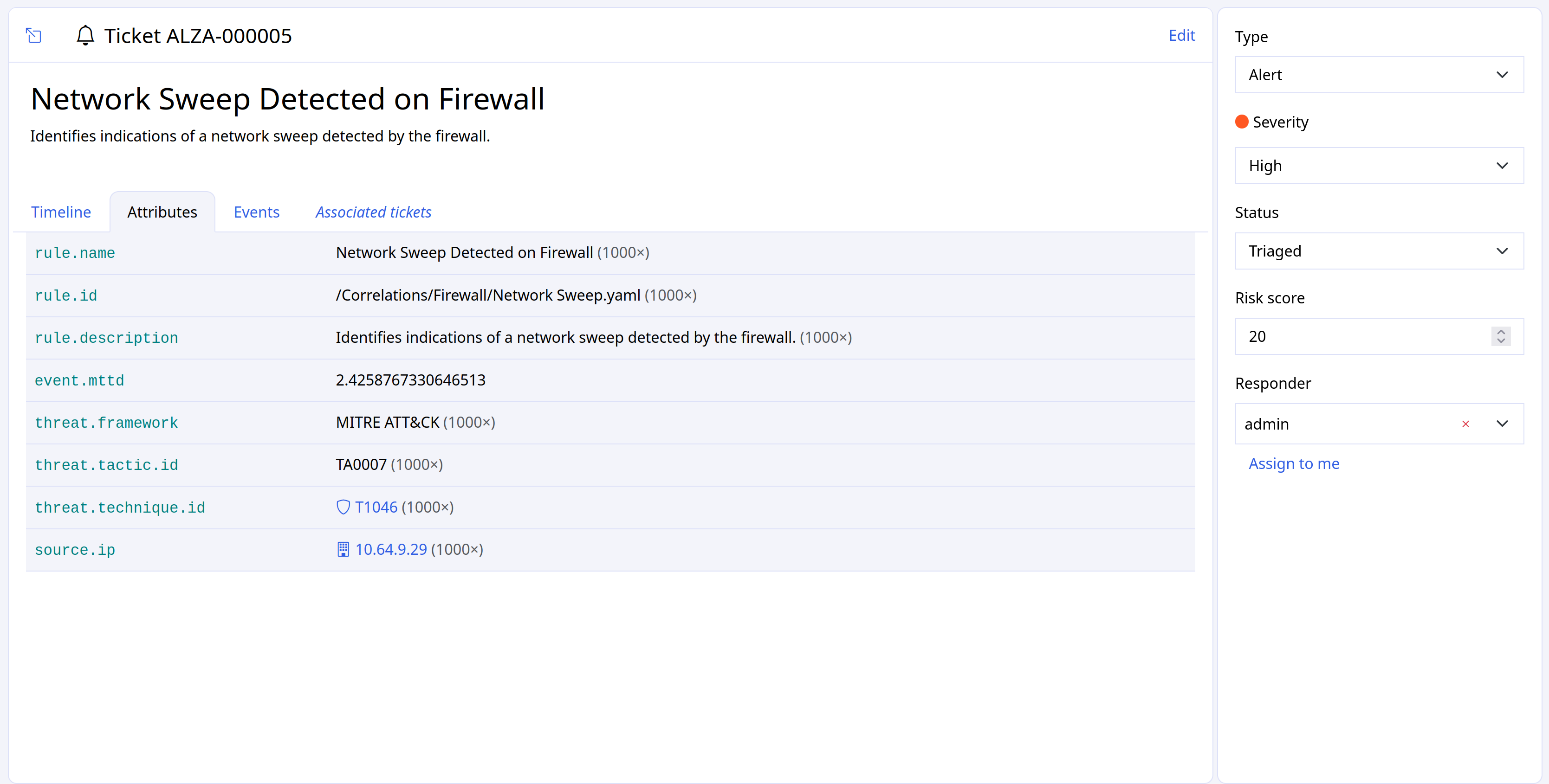
Attributes are various indicators of compromise that might be relevant to the investigation of a given security incident.
Names of the attributes come from Schema (e.g. source.ip, source.port, user.id etc).
By default, we show a list of attibute values with a counter for each. The number indicates how many times this value appeared in relation to this ticket.
Enrich Ticket
You can add specific attributes to create more flexible and incident-oriented content for a ticket.
How to enrich ticket with custom attributes:
- Indicate attributes of your choice in the
additional_attributessection of a related detection rule or - Use
Add new attributesoption available through UI to enrich a specific ticket.
Record Attributes
Some attribute types (strings, ips, floats, booleans) are stored automatically by default.
Integer attributes are recorded only if a grouping method is specified in Schema.
Hint
If an attribute from your detection rule is missing in a ticket, check whether its type is recorded by default, or whether it needs a grouping method in Schema.
There are two grouping methods:
rawstores the integer value as is (e.g. ports, status codes).log10buckets unbounded magnitude counters (e.g. bytes, file sizes). The exact value is not recorded.
The format: humanize option displays the value in a shorter, user-friendly form in the UI, for example, 1M instead of 1000000.
  destination.port:
    type: ui16
    alert:
      grouping:
        method: raw
        description: Stores attribute value as is

  http.response.bytes:
    type: si64
    format: humanize
    alert:
      grouping:
        method: log10
        description: Groups large values into magnitude buckets
Timeline
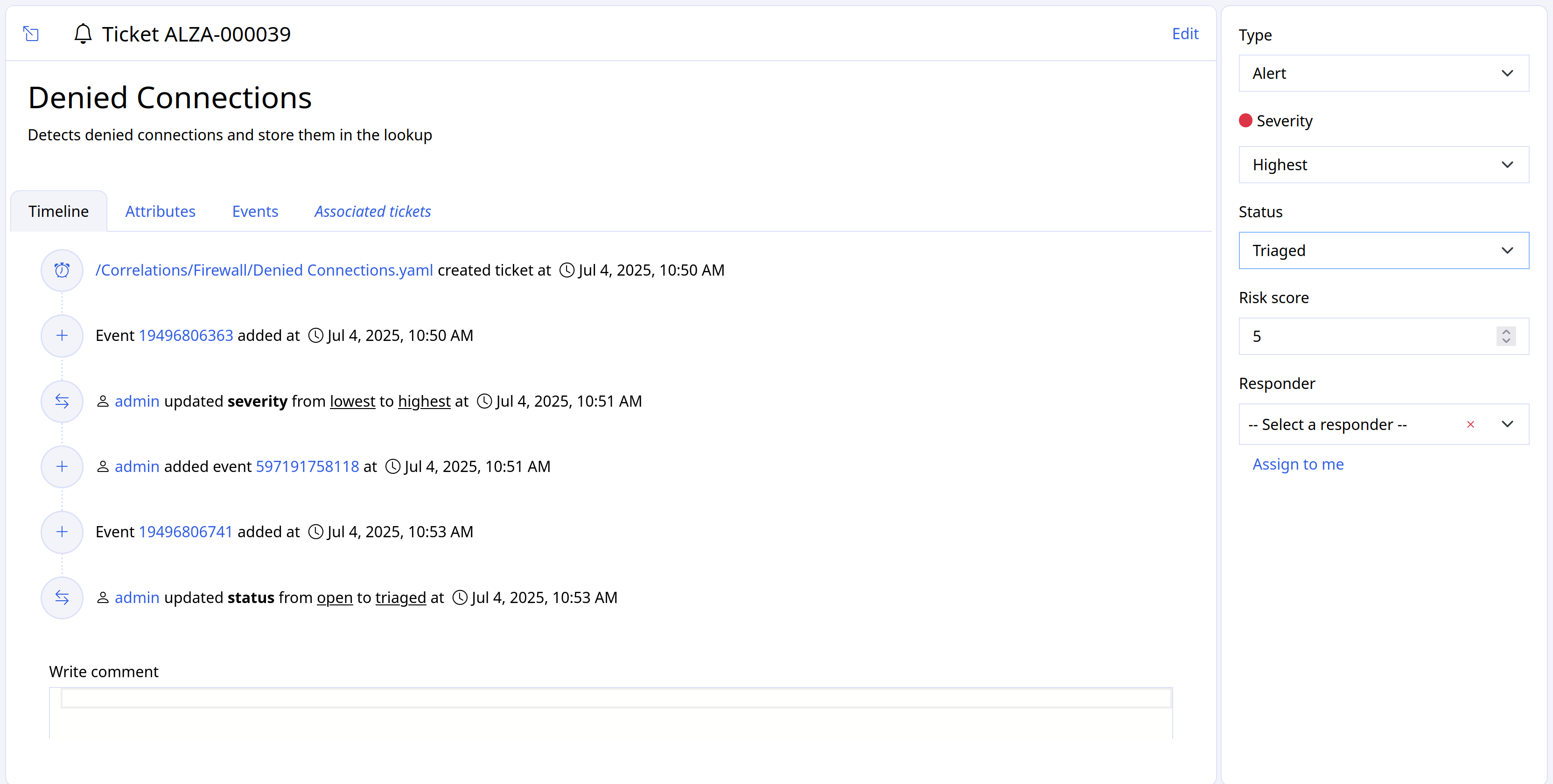
Timeline records all relevant changes in a ticket such as ticket lifecycle stages, changes of responders,relevant user's comments, etc.
It is an investigation-oriented entity which means it shows only data currently relevant to the issue at hand.
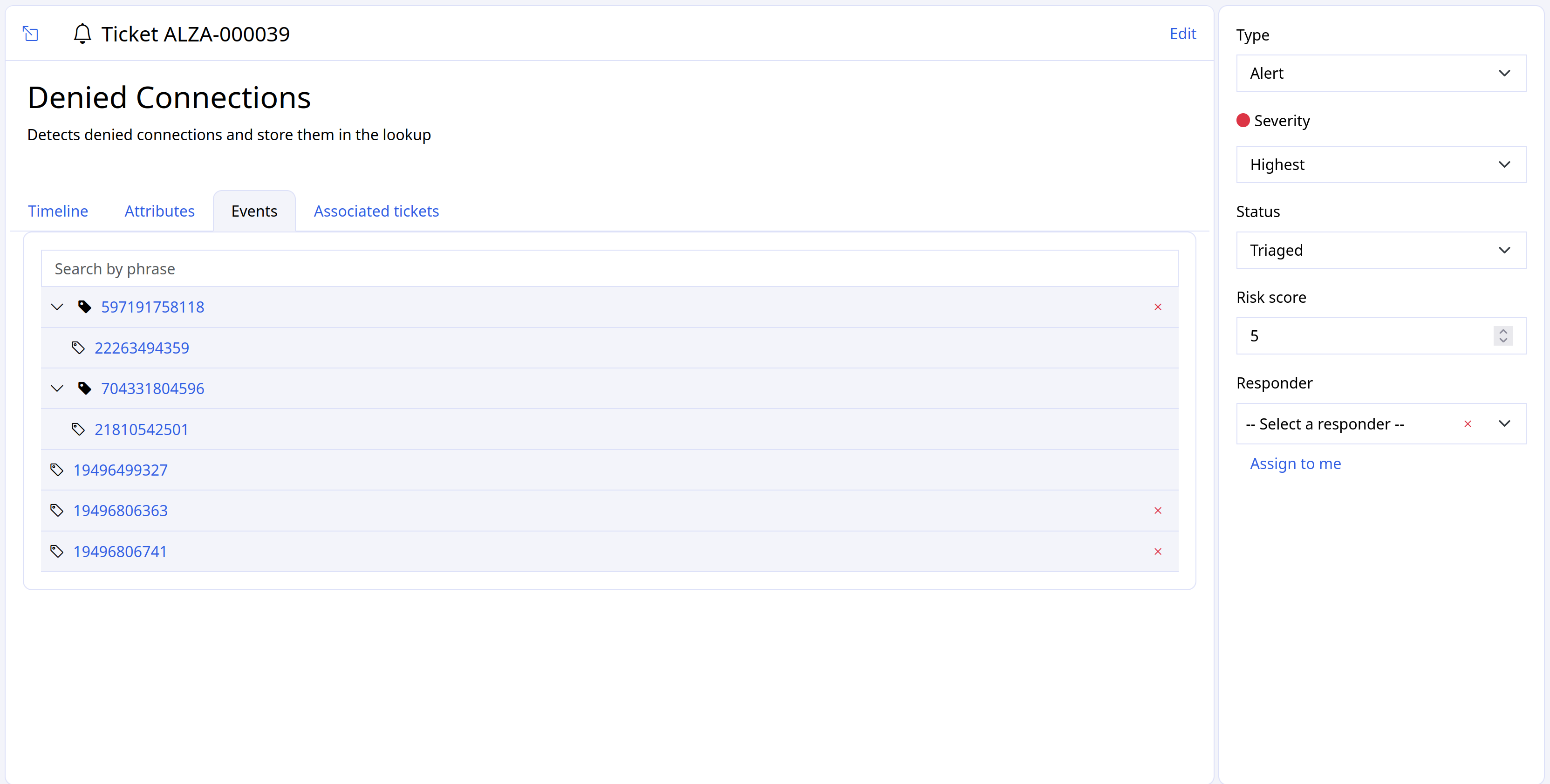
Events
A complete hierarchy of directly assigned events and events from nested tickets.
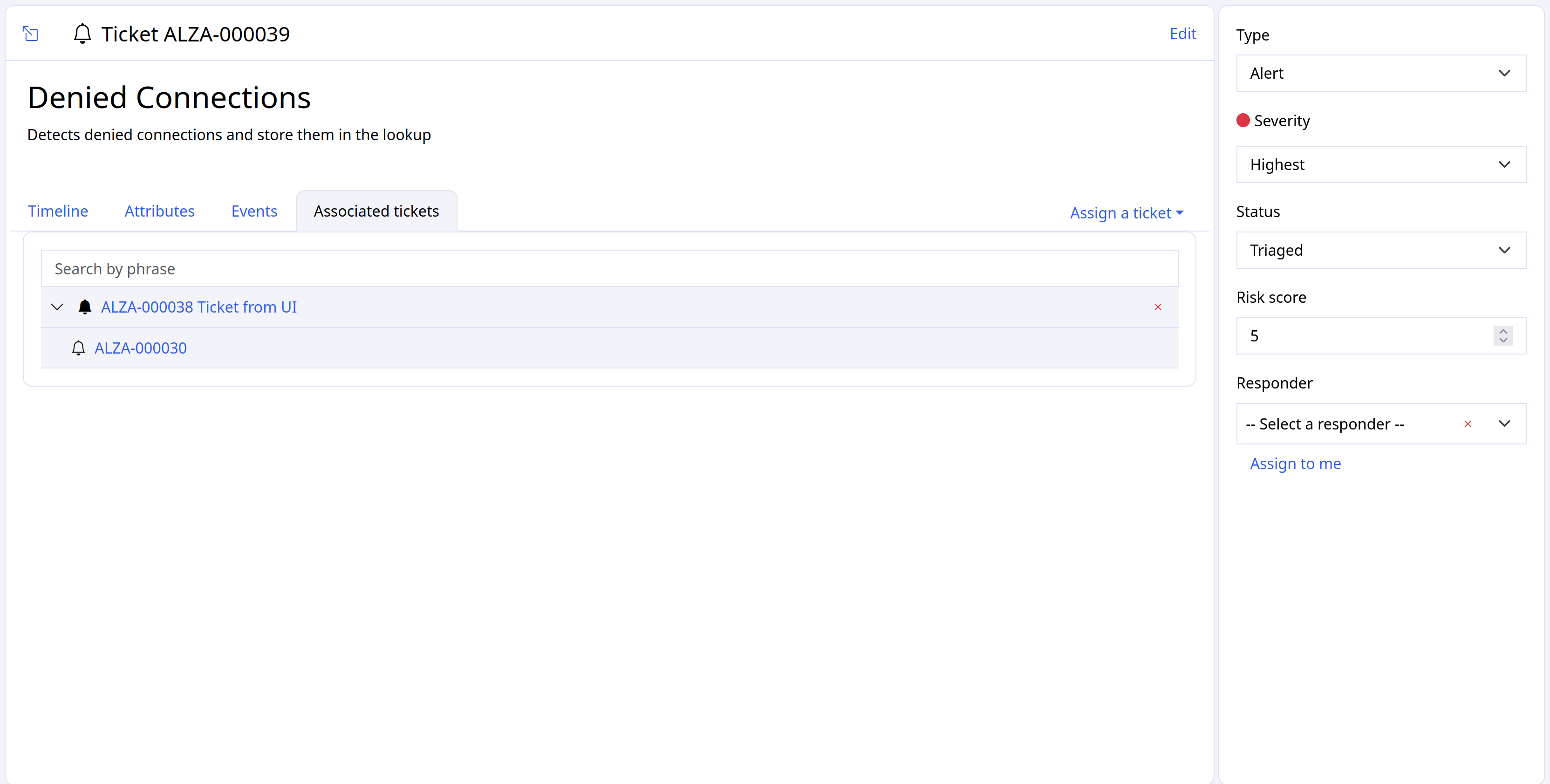
Associated tickets
A complete hierarchy of directly assigned tickets and their nested tickets.