TeskaLabs LogMan.io Collector
This is the administration manual for the TeskaLabs LogMan.io Collector. It describes how to install and administer the Collector.
For configuration options and log source details, see the reference manual.
Architecture
LogMan.io Collector is a microservice that collects logs and other events from various inputs and sends them to the LogMan.io Receiver. It is typically deployed as a container on a dedicated machine and connects to the Receiver over WebSocket and HTTPS.

The Collector can be started, stopped, restarted, and configured from the LogMan.io Web UI.
Collector identity
Each Collector is identified by a unique identity — a 16-character string of letters and digits (for example, A3K9M2P7QW4R8T6X).
The identity is assigned automatically when the Collector starts for the first time. At that point, the Collector creates a unique credential and stores it locally on the machine. The identity is derived from this credential and remains the same for the lifetime of that Collector installation.
The identity is not the hostname, IP address, or any other network attribute of the machine. Each Collector instance receives its own identity. Reinstalling a Collector without preserving its credential results in a new identity.
You can find the identity in the Collector logs after the first start. It is also shown in the LogMan.io Web UI once the Collector registers with the Receiver. You need the identity to provision the Collector and to refer to it in administration tasks.
As long as the Collector keeps its local credential, the identity stays the same across restarts and certificate renewals. If the credential is lost (for example, by deleting the Collector's data volume or reinstalling without a backup), the Collector generates a new credential and receives a new identity. From the system's perspective, this is a different Collector and must be provisioned again.
When the Collector connects to the LogMan.io Receiver, it presents its credential. The Receiver uses the identity to look up whether the Collector has been provisioned and authorized to forward logs for a given tenant.
Installation
Installation of the Collector is described in the installation manual.
Provisioning
After installation, the Collector must be provisioned before it can forward logs. Provisioning authorizes the Collector to send data to the LogMan.io Receiver for a given tenant. You provision Collectors from the LogMan.io Web UI.
-
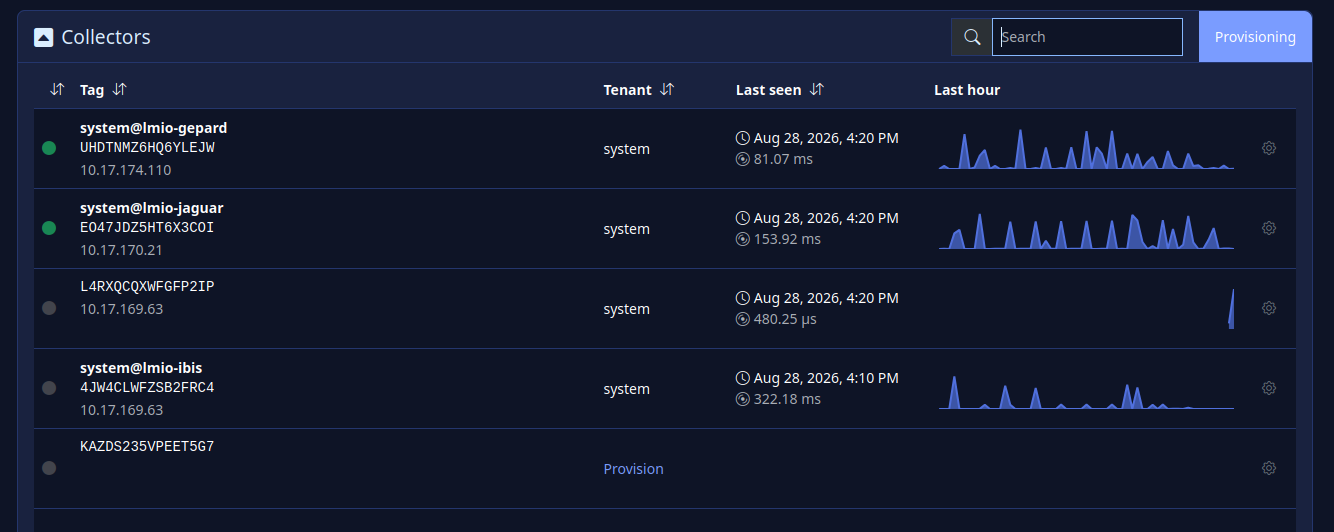
Open Log sources >> Collectors in the LogMan.io Web UI. The page lists all Collectors registered with the Receiver. Collectors that are not provisioned are marked with a grey dot.
-
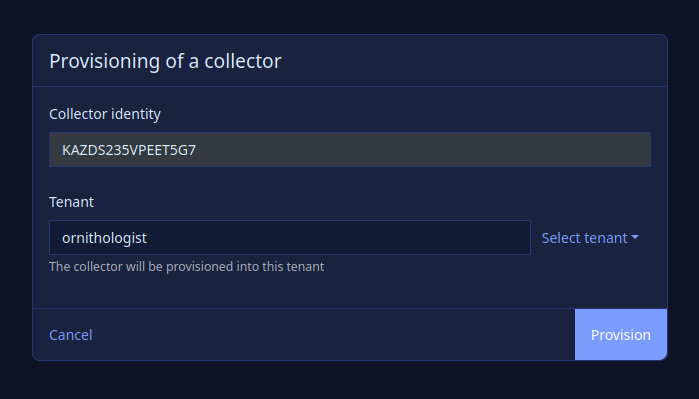
Click Provision on the Collector you want to authorize. You are redirected to the Collector details page. Verify the identity and select the tenant to which the Collector is authorized to forward logs.
-
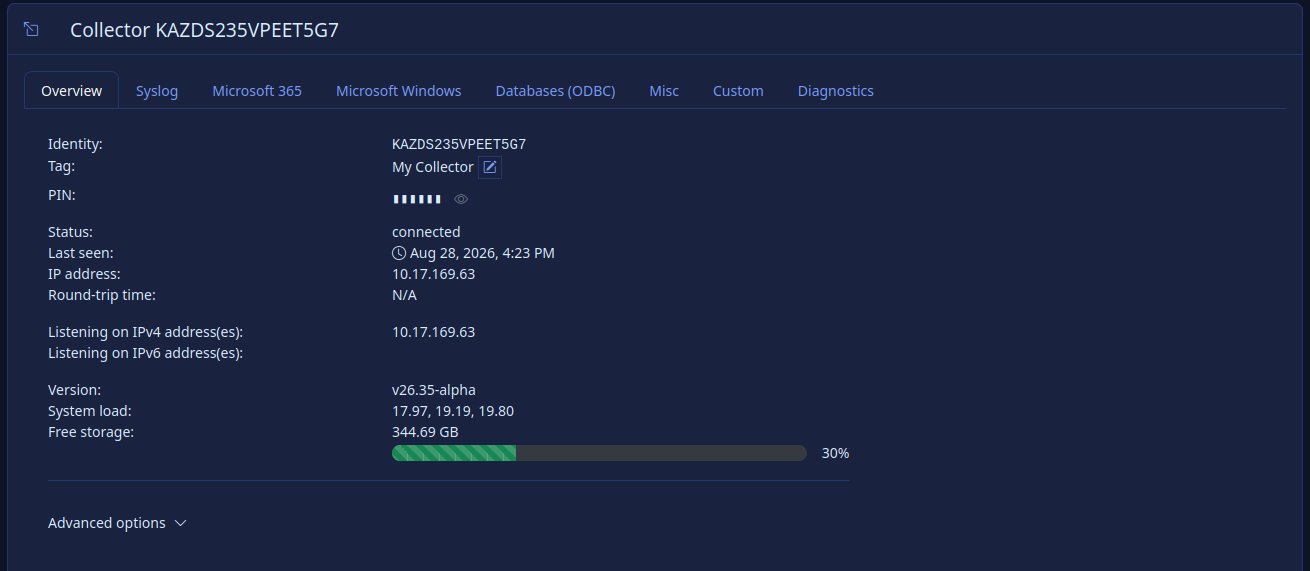
After provisioning, the Collector is marked with a green dot. You can assign a display name and review the Collector configuration.
Collector identity in the logs
The Collector identity is also written to the Collector container logs. Search for the string identity in the logs on the machine where the Collector runs:
docker logs <collector-container> 2>&1 | grep identity
NOTICE lmiocollector.commlink.identity.service [sd url="https://example.domain.com/lmio-receiver/csr" identity="L4RXQCQXWFGFP2IP"] Requesting certificate from the server
Provisioning from the command line
It is possible to provision a Collector using the REST API of LogMan.io Receiver and the PUT /provision/<identity>?tenant=<tenant> endpoint.
Configuration
Configure the Collector from the LogMan.io Web UI. Open Log sources >> Collectors, select a Collector, and click Configure.
Dedicated tabs cover common log sources (Syslog, Windows Event Logs, Microsoft 365, and others). Custom log sources are configured in the Custom tab using YAML.
Read more in the reference manual.