Workflow
A workflow is a description of a standard ticket lifecycle that specifies:
- authorization (resources) required to see ticket's details
- states a ticket may enter
- authorization (resources) required to make these transitions
LogMan.io Alerts uses the following workflows stored in Library:
/Alerts/Workflow/alert.yaml(for tickets with type alert)/Alerts/Workflow/incident.yaml(for tickets with type incident)
Workflow Schema
Workflow Declaration
---
define:
  type: alerts/workflow
  default: true

workflow:
  open:
    transitions:
      triaged:
        resources: [lmio:alert:triaged]
      closed: {}
      deleted: {}

  triaged:
    transitions:
      closed: {}
      deleted: {}

  closed:
    reason_mandatory: true
    reasons:
      - False positive
      - Issue resolved
    resources: lmio:alert:closed
    transitions:
      deleted: {}


  deleted: {}

i18n:
  open:
    label:
      c: Open
      en: Open
      cs: Otevřený

  False positive:
    label:
      c: False positive
      en: False positive
      cs: Planý poplach
Workflow States
There are four states in a standard ticket's lifecycle:
opentriaged*closeddeleted
*triaged roughly means "in progress", but more precise definition would be "undergoing a security check".
Note
The four states above are the defaults in the standard ticket lifecycle.
Custom workflow states are supported: add additional states as keys of the workflow declaration.
Warning
Keep state closed in every workflow.
LogMan.io Alerts uses it to close tickets automatically.
If removed from the workflow, tickets cannot be closed.
Hint
State deleted permanently removes tickets from UI.
To disable this option remove state deleted from workflows stored in Library:
/Alerts/Workflow/alert.yaml/Alerts/Workflow/incident.yaml
Do not forget to remove state deleted from transitions section of the remaining states.
The definition for each state might contain the following attributes:
default
Indicates a default workflow that consequently determines a default type for all tickets.
- Tenant-wide default can be (re)set in section
defaultusing a boolean indicator (true/false); - Ticket-specific type can be (re)set by a signal or through the UI interface.
In the above example:
- workflow
/Alerts/Workflow/alert.yamlindicated as a default; - all tickets are created with type
alert.
resources
A name or list of the resource(s) the user must be assigned to see ticket's details.
If not specified (no resources section), no special resources required to access ticket's data.
In the above example:
- any user can access
opentickets (noresourcessection); - resource
lmio:alert:closedis required to seeclosedtickets.
transitions
Defines allowed transitions to other states as well as resource(s) the user must be assigned to change ticket's state.
The states can be listed with either:
- an empty braces
{ }(no specific resource is needed to move the ticket to a given state), or - a name or list of the resource(s) the user must be assigned to in order to move the ticket to a given state.
If not specified (no transitions section), no transition to another state is allowed.
In the above example:
- transitions from
deletedtickets are not allowed (notransitionssection); - backwards transitions for
closedtickets are not allowed (only optiondeletedintransitionssection); - to change a ticket state from
opentotriagedresourcelmio:alert:triagedis required; - no special resources required to change ticket's state from
opentoclosedordeleted.
reasons
These are short industry-specific explanations for why ticket's state is being changed.
In the above example:
- ticket's state is changed to
triaged: users will not be asked to provide a reason; - ticket's state is changed to
closed: users will be asked to select a reason from 2 available items.
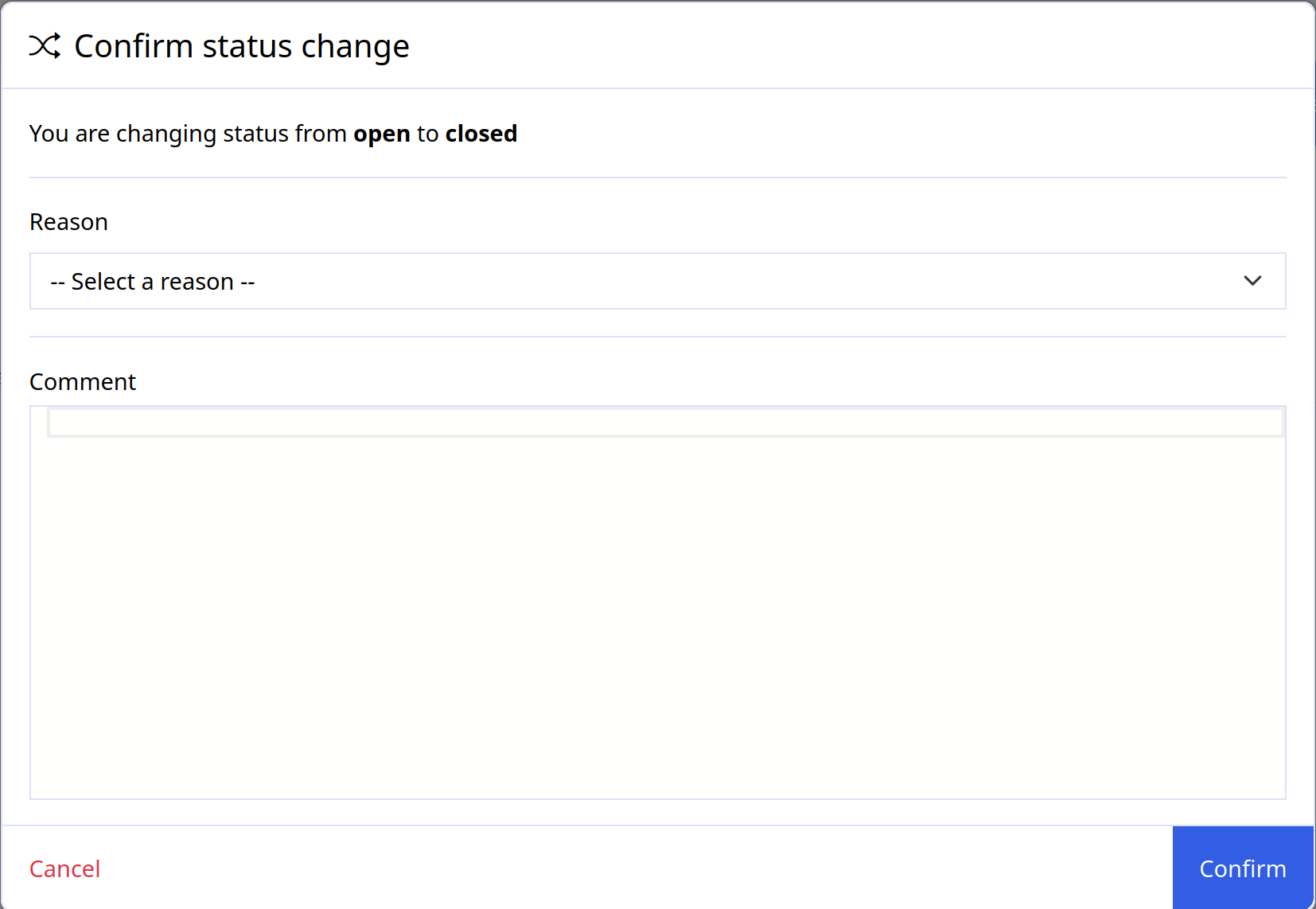
reason_mandatory
If set to true, enforces users to provide their reason for changing the ticket's state.
Default Transitions
Note
Tickets not modified for 10 years will be closed automatically.
Default transition period can be reconfigured in the model.yaml:
asab:
  config:
    ticket:
      period: 120d
Warning
Note that backward transition from the closed state is not possible at the moment.
Scheduled Transitions
LogMan.io Alerts can open and close tickets automatically both in real time and in form of scheduled transitions. See Schedule Tickets for more details.
i18n
Section i18n contains a setup required to provide UI translations.
label
A user-friendly name for a given key (i.e. workflow state, reason, etc) with all available language permutations.